For teachers
Make room for
their own stories.
Start with a first line and a simple plan. Give young writers a reason to write, read back and revise.
Free resources, ready to use. No account or app needed.
A lesson you can use today
One first line.
Many possible stories.
Learning focus: create a character with a problem, sequence events and make one purposeful revision. Use paper and pencils; StorySafari is an optional teacher demonstration.
Allow 30 minutes, or extend to 45 for sharing. Adapt the amount of writing to your class.
Need ideas that hook young writers? See what kids make stories about, our data on the characters, places and themes children choose.
Choose and talk 5 minutes
Read a starter aloud. In pairs, imagine two different things that could happen next. Choose one direction.
Make a small plan 5 minutes
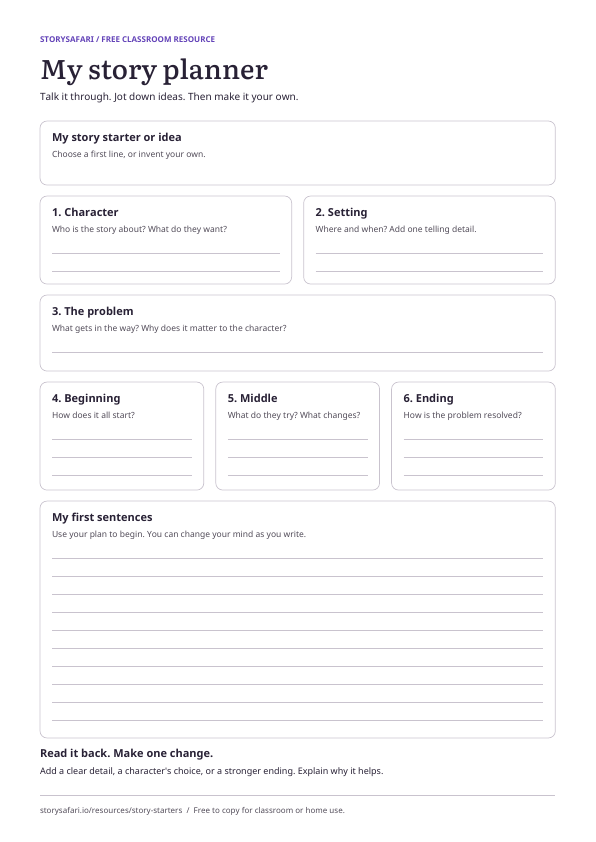
Sketch or jot down the character, setting and problem. Decide what the character tries and how things might end.
Write the scene 12 minutes
Write a first scene in your own words. Add one detail that helps a reader picture the place or understand the character.
Read, compare and revise 8 minutes
Read to a partner. Ask, “What could you picture? What was unclear?” Change one detail and explain why the change helps.
Optional teacher demonstration
Write. Illustrate.
Compare. Revise.
When you write your own story in StorySafari, you write the page and AI creates an illustration. The page text stays as you wrote it.
Try the invented fox example yourself. Compare the illustration with the words: which details came from the writer, and which did the image add? Then make the description more precise.
The first four illustrated pages are free on the web. Further illustrations require a purchase or subscription. Printing is optional and paid separately.
Before using the app at school
Try it yourself
first.
- Resources work without a login
- Read or project the starters and print the planner. They are free to copy for classroom or home use.
- Try the web flow on your school device
- Open StorySafari in a browser and check sign-in and image loading on your managed device and network before a lesson.
- Teacher demonstrations first
- Use invented characters and text. For student access, ask your school to review the privacy information and terms, and contact us about the access you need. Do not share a teacher password with students.