 StorySafari
A book in their own words
Write your own illustrated children’s book
Create the characters, write each page in your own words, and finish the illustrated story between 12 and 24 pages before printing it. Start with four pages free.
No payment to start. Make and illustrate four pages before deciding whether to continue.
From idea to keepsake
Write, illustrate, and order the book all in one afternoon.
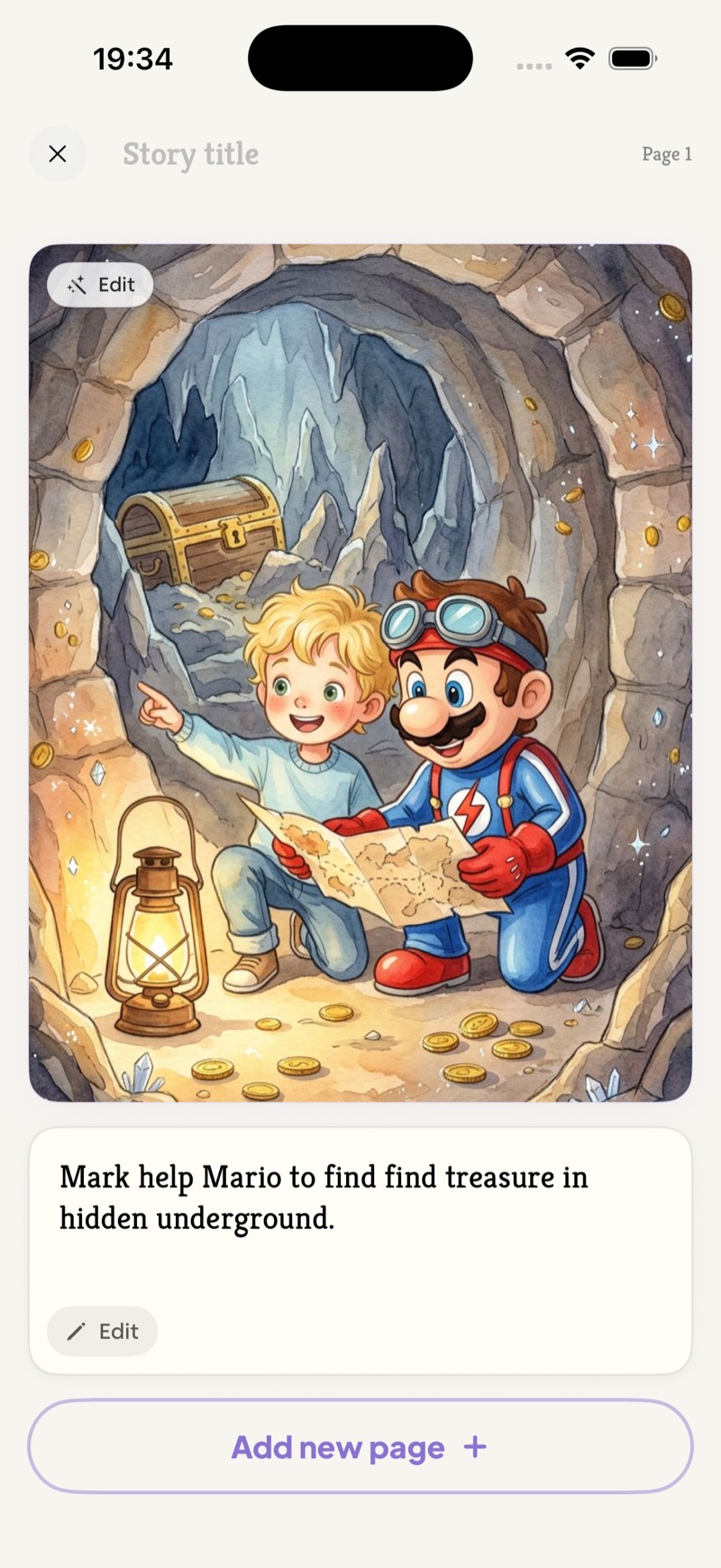
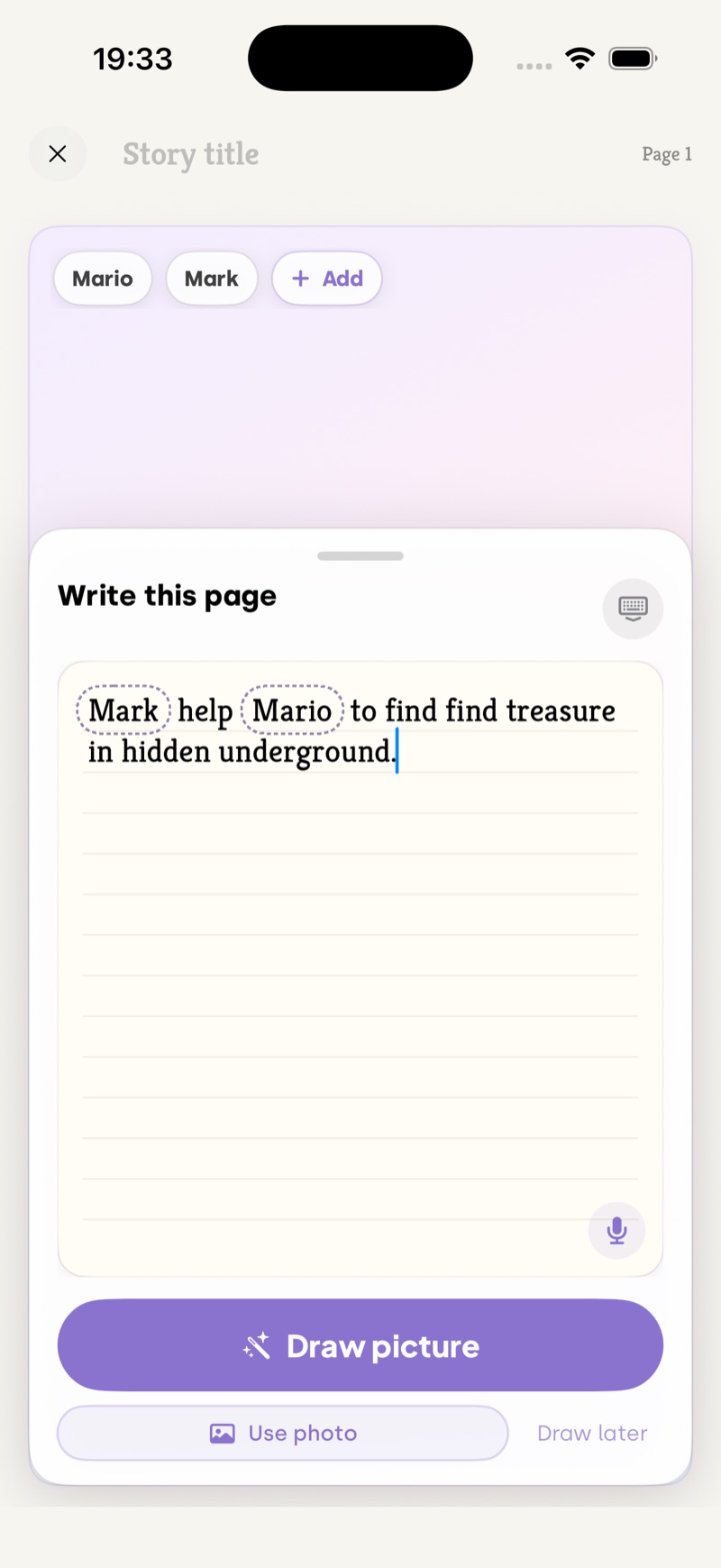
Write the story page by page, and StorySafari creates a matching picture for each one. Once the story has at least 12 illustrated pages, finish it when the ending feels right—or keep going through page 24—then order the printed book.
Page by page
Write one page. See it illustrated. Keep going.
There is no need to plan the whole book first. Kids can make one small piece at a time and watch their story grow.
-
1
Create the characters
Make a character from a photo or description, then add the friends, family, pets, or imaginary heroes who belong in the story.
-
2
Write what happens
Type or dictate the page in your own voice. Short, silly, serious, perfectly spelled, or still learning—it stays yours.
-
3
Illustrate the page
StorySafari turns the page into a picture while keeping the text exactly as written. Review it, then add the next page.
-
4
Read, share, print, and keep
Try the first four illustrated pages free. If the story feels worth keeping, continue it and finish anytime from 12 through 24 pages before ordering a printed book.
Your story, in print
Turn your imagination into a book you can hold
Write it yourself or make it together. StorySafari illustrates each page and brings the finished story together as a real book.
Order a printed copy to read, share, give as a gift, or keep on the shelf for years.
Questions from grown-ups
What to know before you start
Does StorySafari change what my child writes?
No. Your child’s page text stays exactly as they wrote it. StorySafari uses those words to plan and create the illustration, not to rewrite the page.
How much can we make for free?
You can create and illustrate the first four pages free. Then you can continue the same story and finish it once it has at least 12 illustrated pages, through a maximum of 24.
Can we turn the story into a printed book?
Yes. After finishing a story between 12 and 24 illustrated pages, you can order it as a printed keepsake book to read, share, and keep.
Is this a professional publishing platform?
No. StorySafari is for kids, families, and personal keepsakes. It does not provide ISBNs, KDP submission, bookstore placement, or commercial distribution.
Who is the write-your-own flow for?
It is for children who want to write or dictate the actual words of their story, with a parent or caregiver helping as much or as little as needed.
The first page is waiting
Let their words become a book.
Choose the characters, write the page, and see the first illustration. You can make four pages free.
Start Writing Free